GoHighLevel(GHL) Integration Overview
ChatDash client dashboard can be integrated and displayed in GoHighLevel as a custom menu.
Last updated About 1 year ago
Embed ChatDash into GoHighLevel (GHL) as a Custom Menu
Step 1: Generate Embed URL
In ChatDash, go to Client → Client Details → Client Embed URLs

Register your custom GHL domain account.
If you haven’t set up yet, paste basic GHL domain “app.gohighlevel.com”
Make sure to enter the domain name without trailing path
ex)
https://your.own.domain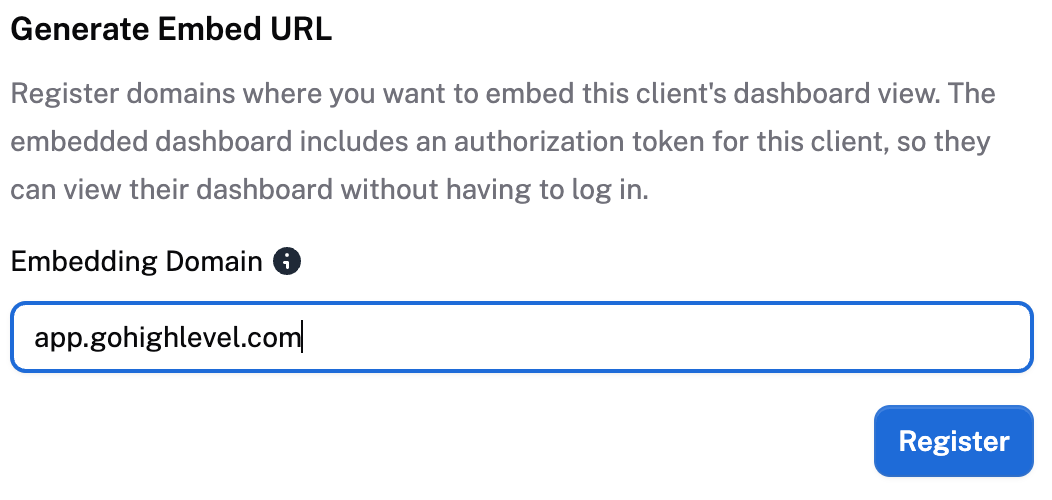
Copy the embed URL created under Registered Embed Domains
Step 2: Add to GHL
Log into your GHL Agency View
Navigate to Settings → Custom Menu Links
Click Create New
Choose an icon and name your menu item
Paste the embed URL you copied from ChatDash
Set the type to iFrame - Open link within the current window as an embedded page
Adjust other options as needed.
Be sure to check the Show in Sidebar preference to display it in the dashboard menu
Click Save