Misunderstood Query Identification
Detect when the agent misinterprets customer queries
Last updated About 1 year ago
Overview
The Misunderstood Query Identification feature helps you identify when your agent didn’t understand or correctly address a customer’s question. By pinpointing these instances, you can improve the agent’s responses and enhance the overall customer experience.
Benefits
Improve Communication: Identify and rectify misunderstandings to ensure accurate responses.
Enhance Training: Use insights to train your agents for better interactions.
Increase Satisfaction: Reduce customer frustration by addressing common misinterpretations.
How to Use Misunderstood Query Identification
Enabling Misunderstood Queries Detection
Log in to Your ChatDash Account and navigate to your Agency Dashboard.
Go to the Agent Settings page.
Click on the AI Analysis tab.
Toggle on Misunderstood Queries under the respective section.

(Optional) Enter custom instructions to guide the AI on identifying misunderstandings.
Click Save to apply the changes.
Viewing Misunderstood Queries
Navigate to the Conversations tab within your client’s dashboard.
Select a conversation to view its details.
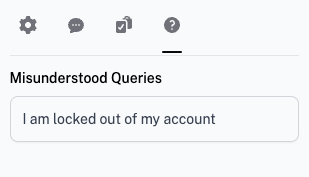
The Misunderstood Queries section will list the queries that were identified as misunderstandings.