Live agent hands-off
Live human hands-off allows end-users to interact with the human agent (client) in real-time. The human agent can take over the conversation at any time during the conversation.
Last updated About 1 year ago
Note: Live agent feature is ONLY for text-based agents using ChatDash’s widget.
Turning on Live Human Hands-off
To turn on live human hands-off, follow these steps:
Go to the Agent Settings page of the agent you want to enable live human hands-off for.
Click on the Widget → Advanced.
Toggle the Live Agent switch to ON.
Click on the Save button.
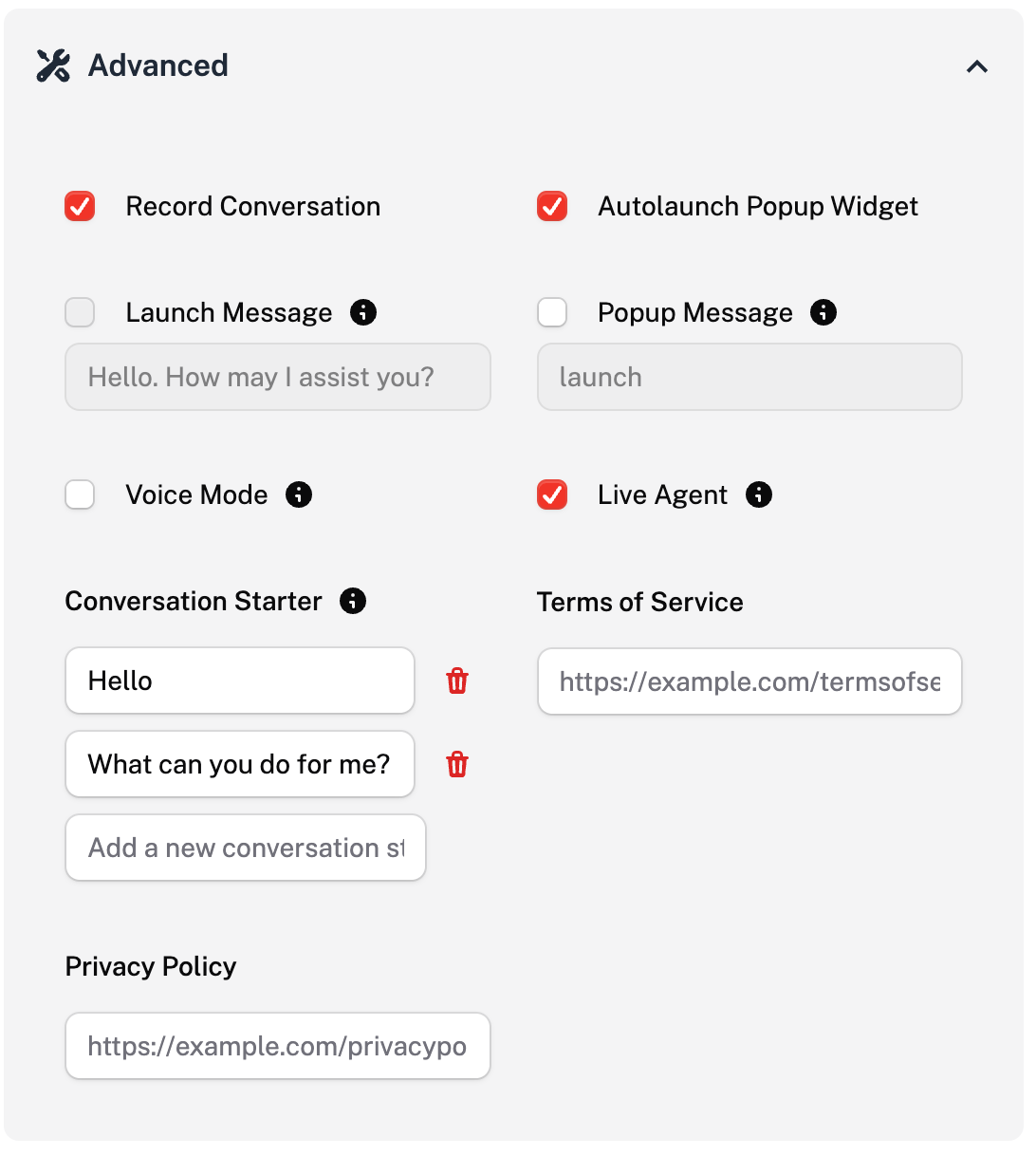
Now, your client can take over the conversation at any time during the agent conversation in client dashboard.
Using live agent hands-off
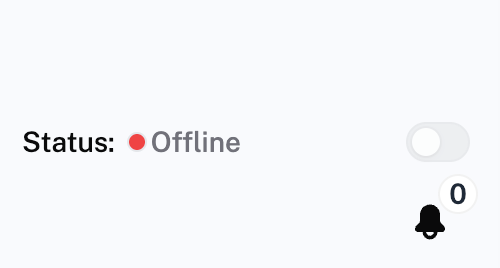
After turning on the live agent switch in agent settings, the client will see a Status switch in their dashboard left side bar. Turn that switch on for users having a conversation with your agent on the widget to see a Chat button to talk to a live agent.
Status will be switched to Offline automatically when clients log out.
When the live agent hands-off feature is enabled, the client can take over the conversation by clicking on the Continue Chat Yourself button in the client dashboard conversation page.
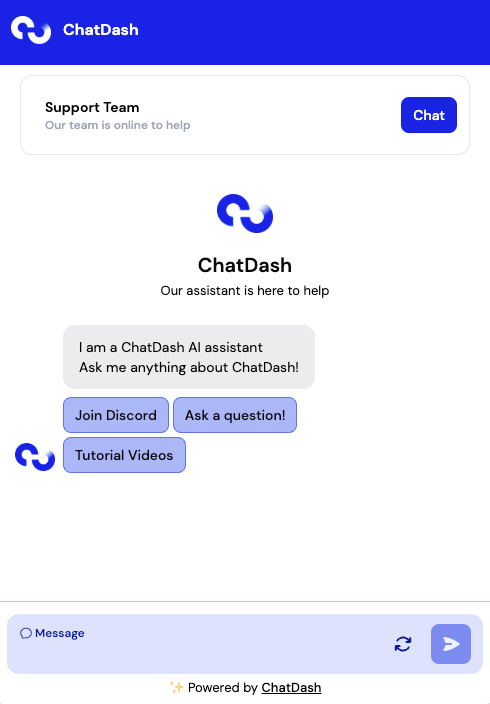
How to start a conversation with a human agent:
The end-user requests a live human agent by clicking on the “Chat” button on the top of the widget.
The client (human agent) will receive a notification on their dashboard that the end-user has requested a live human agent just like below:
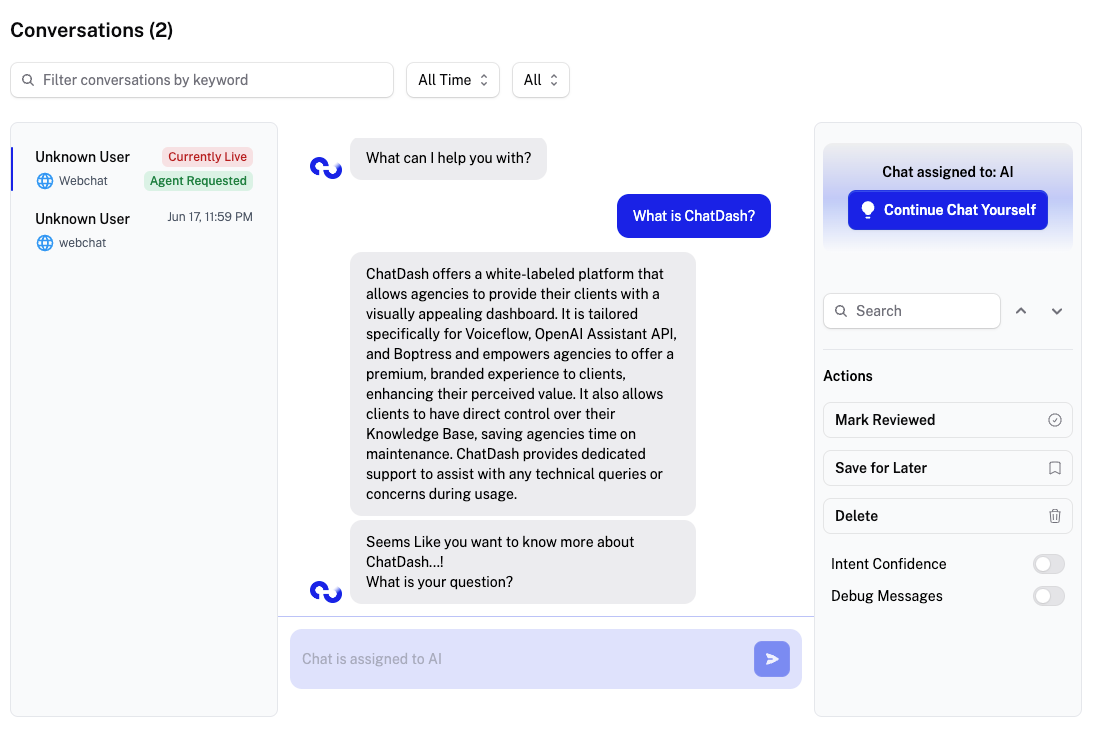
The client (human agent) can then take over the conversation by clicking on the Continue Chat Yourself button in the conversation.
Continue Chat Yourself can be clicked anytime (even if the user did not request an agent) for any live conversations.