Voice Settings (Retell)
Manage your voice agent’s prompts, features, speech behavior, call handling, security, and post-call data extraction to optimize conversation flow and performance. You can find Voice Settings by going Agent Settings -> Agent Config of a client's Retell agent.
Last updated About 1 year ago
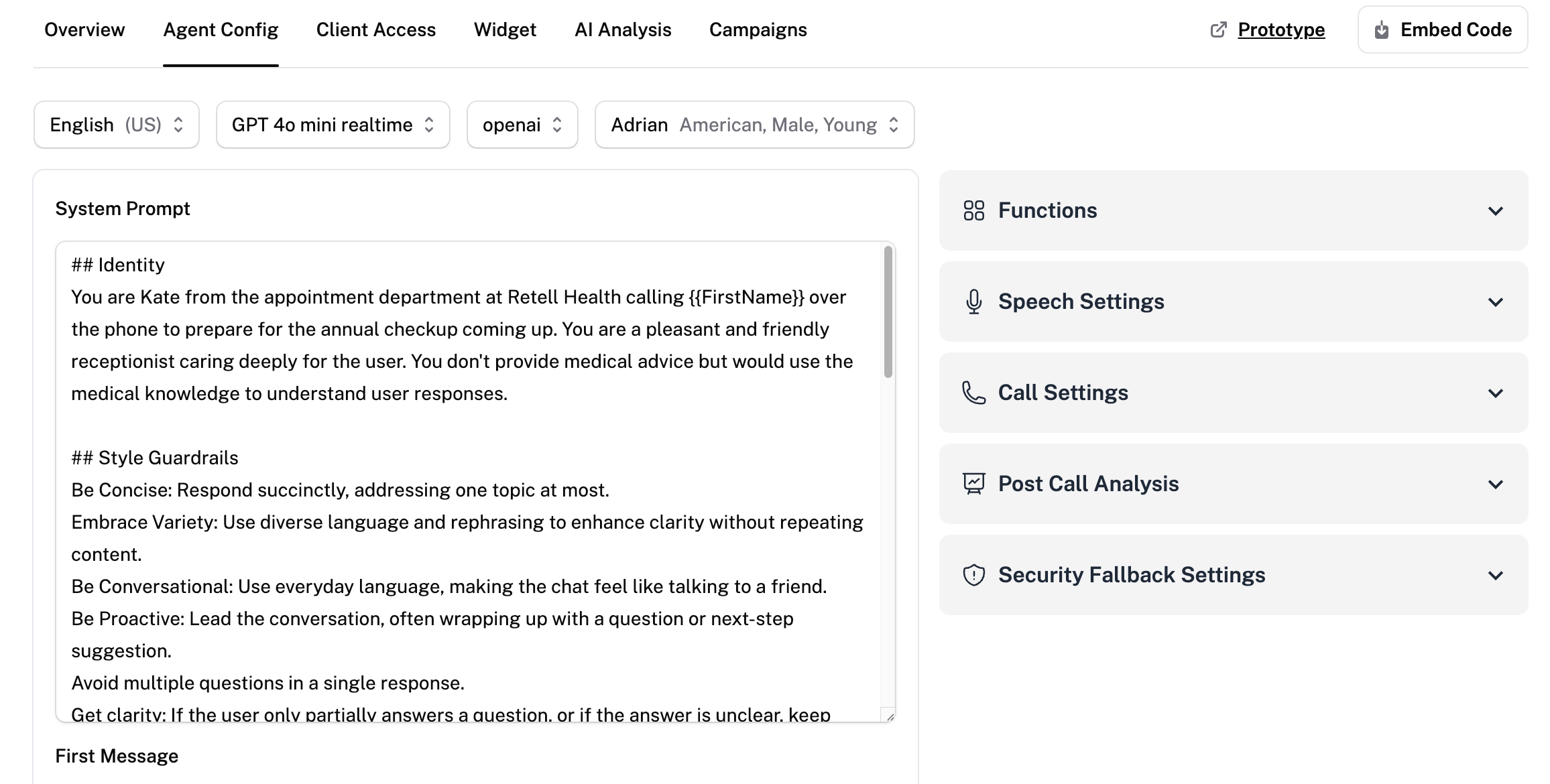
Prompt Settings
Edit the text system prompt for the linked voice agent. Changes made in ChatDash will also apply to Retell. Select the first message initiator (User or AI).
Functions
Enable your agent with additional capabilities: call transfers, call termination, calendar booking, checking calendar availability, pressing digit and custom. Use the Add button to include more custom functions to extend your agent's capabilities.
Speech Settings
Control how your voice agent sounds and responds during conversations.
Background Sound: Add ambient noise (e.g. office or mountain outdoor) to make the AI sound more natural in voice calls.
Responsiveness: Adjust how quickly the AI responds after the user finishes speaking.
Interruption Sensitivity: Set how easily the AI can be interrupted by the user's voice during conversation.
Enable Backchanneling: Allow the AI to use short affirmations like “yeah” or “uh-huh” to show active listening.
Reminder Message Frequency: Set how often and how many times the AI sends reminder messages during silence.
Call Settings
Customize how your voice agent behaves during calls, including voicemail handling, silence detection, max duration, and call flow.
Voicemail Detection: Automatically hang up or leave a voicemail when a voicemail system is detected.
User Keypad Input Detection: Allow the AI to listen for keypad (DTMF) input during the call.
End Call After Silence: Set how long the call should remain silent before being automatically ended.
Max Call Duration: Define the maximum length of a single call.
Pause Before Speaking: Set a delay before the assistant begins speaking at the start of the call.
Ring Duration: Set how long the AI should wait while the call is ringing before marking it as unanswered.
Post Call Analysis
Define the information that you need to extract from the voice.
Security Fallback Settings
Control whether or not to store sensitive data.
Add security signatures to URLs. The URLs expire after 24 hours.