FAQ Generation
Automatically create FAQs from customer conversations
Last updated About 1 year ago
Overview
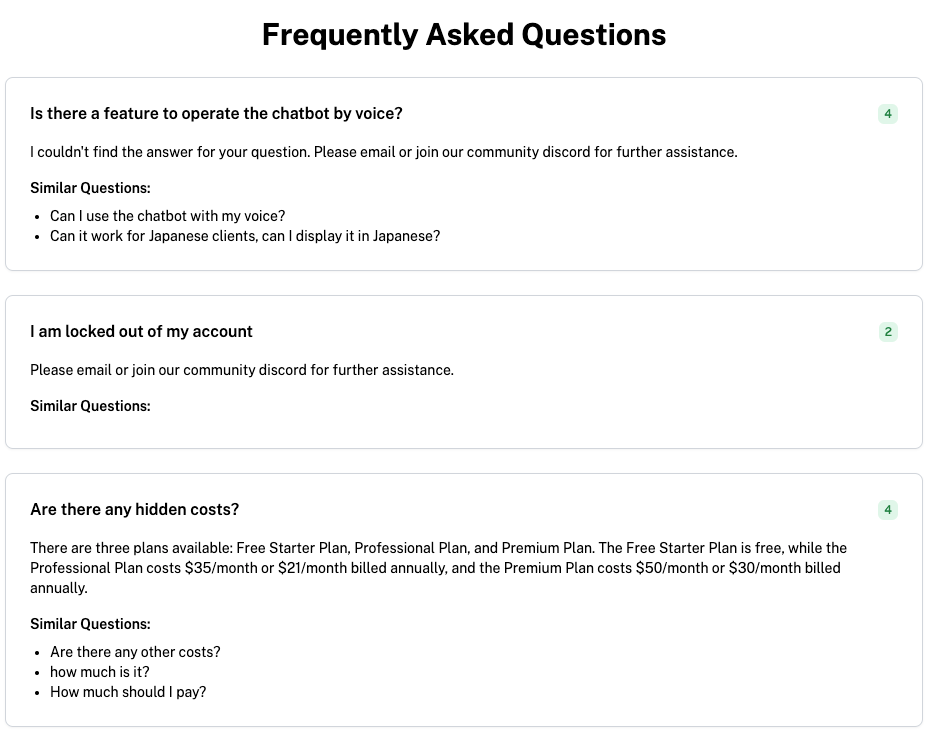
The FAQ Generation feature uses AI to analyze customer conversations and identify the most frequently asked questions. It then automatically generates a knowledge base of FAQs, empowering customers to find answers quickly and reducing the load on your support team.
Benefits
Save Time: Automatically compile common questions into helpful FAQs.
Improve Customer Experience: Provide customers with self-service options.
Reduce Support Load: Free up your team to focus on more complex issues.
How to Use FAQ Generation
Enabling FAQ Generation
Log in to Your ChatDash Account and navigate to your Agency Dashboard.
Click on the client and navigate to Client Details → Assigned Agents.
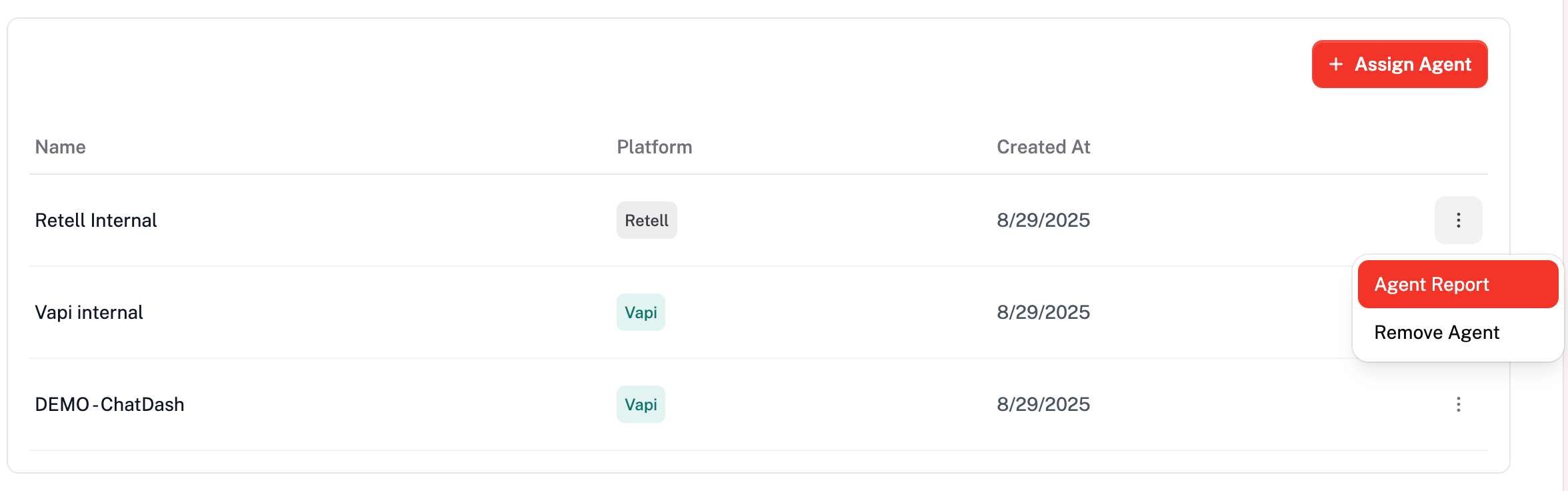
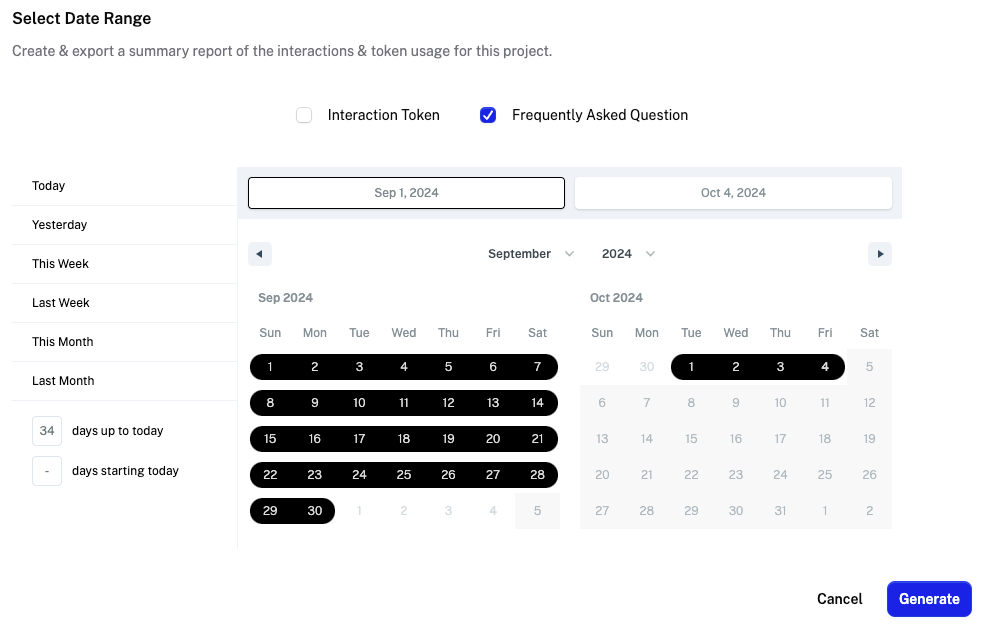
Toggle on Frequently Asked Questions before generating a report.

Click Generate to create the report.
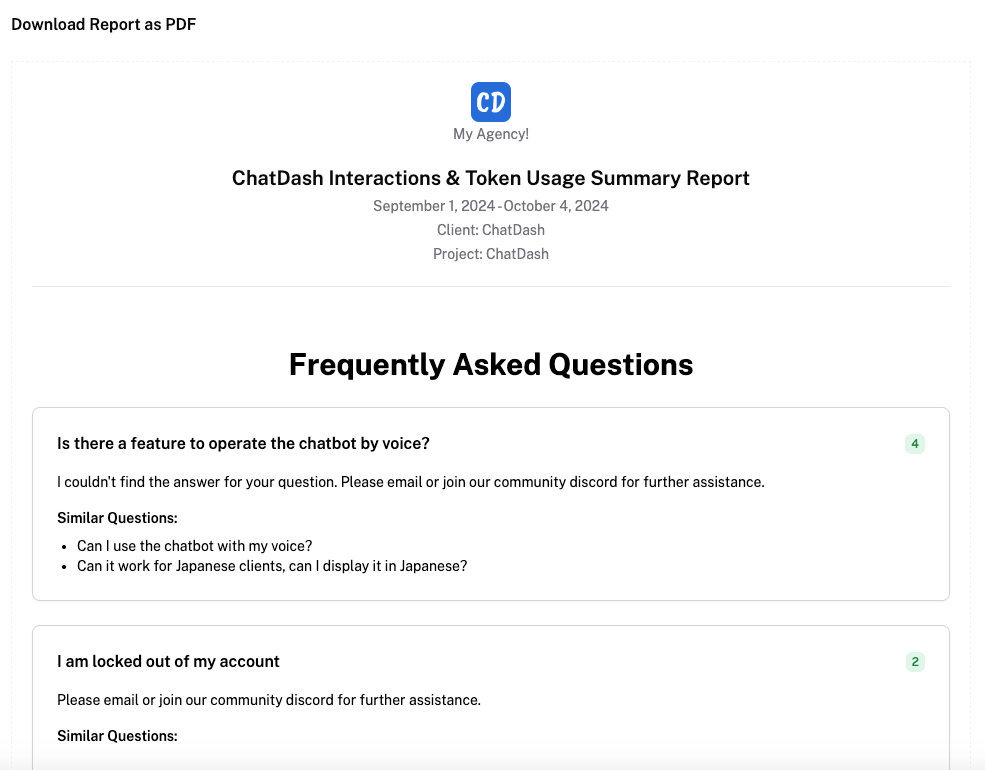
Accessing Generated FAQs
The generated FAQs will be included in the agent report, which you can download and share with your clients.
Utilizing FAQs
Customer Portal: Publish the FAQs on your website or help center.
Agent Training: Use FAQs to train new team members.
Continuous Improvement: Regularly update the FAQs based on new data.
Was this helpful?
Still need help? Ask the team