
Changelog

Follow new updates and improvements to ChatDash.

Enhanced Unified Client Analytics
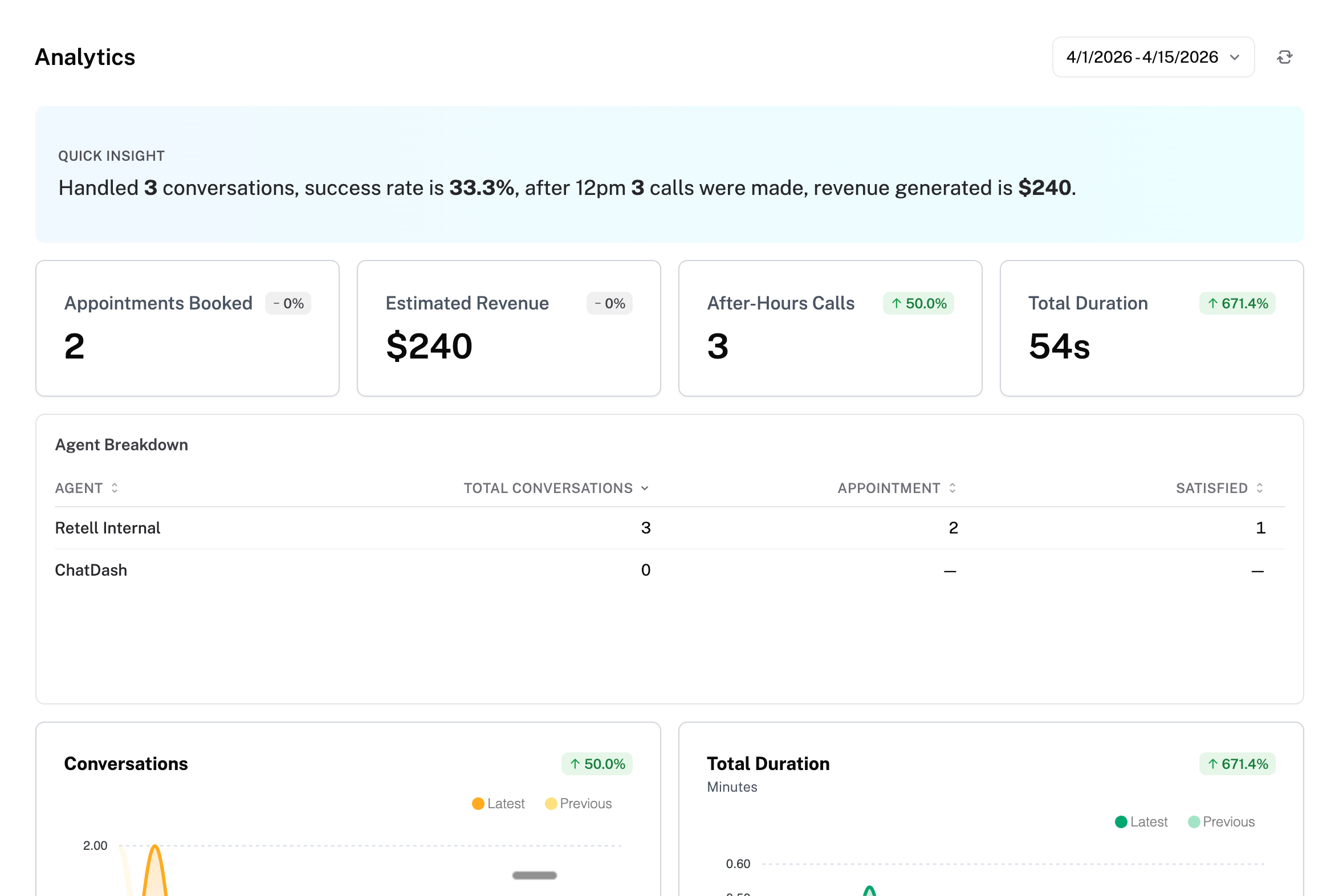
Your client dashboard now has a powerful analytics page that brings together data from every agent into one place.

Custom Charts — build them in seconds

Add custom charts to your dashboard with the new template picker. Choose from ready-made templates and configure them to track what matters most to your client:

  • KPI Cards — single number metrics like total bookings, lead count, or estimated revenue

  • Summary Banners — headline-style summaries that combine multiple metrics into one glanceable row (e.g. "142 calls this week, $2,400 estimated revenue, 87% success rate")

  • Agent Breakdown Tables — side-by-side comparison of every agent's performance with columns you choose (conversations, call duration, success rate, custom values, and more)

Revenue-aware metrics automatically multiply by your value-per-unit, so a chart tracking bookings at $120 each shows $2,400 — not just "20".

Note: Custom Metrics are only available on Growth or higher plans.

Export Analytics to CSV

One click exports your analytics as a CSV file — per-date breakdowns, KPI totals, voice metrics, and custom chart values included. Available on both the unified client dashboard and individual agent analytics pages across all supported platforms (previously existed only for Voiceflow users). Export access can be toggled on and off in the client access.
NewImproved

Unified Analytics and Conversations & More — April 2026

Consolidated Analytics and Conversations in Client Dashboard

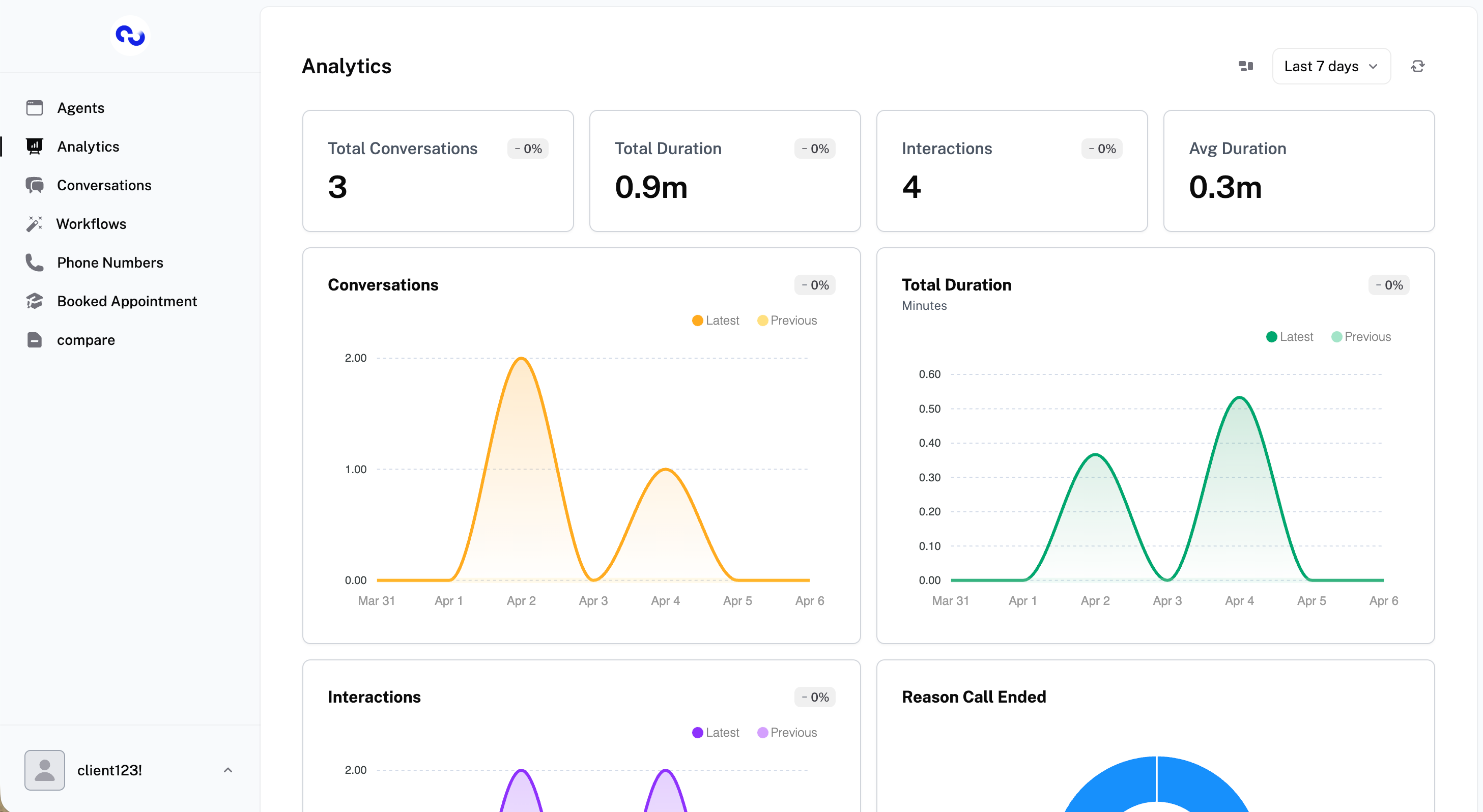
View analytics and conversations across all your agents in one place — no need to switch between agents to get the full picture.
This is disabled by default and can be enabled in client access.

Remember Me (30-Day Login)

Check "Remember Me" at login to stay signed in for 30 days without needing to log back in. Available for both agencies and clients.

After-Hours Call Tracking

Set your client's business hours (start/end time, days of the week, and timezone) in the client overview. Once enabled, every incoming call is automatically tagged as after-hours or not — and you can build analytics charts to see exactly how many calls came in outside of business hours.

Revenue Multiplier for Custom Metrics

When setting up a number chart in custom metrics, you can now enable "Show as Revenue Metric" and set a value per unit (USD or EUR). The chart will automatically multiply the count by that value and display it as a currency amount — for example, 47 booked calls × $100 = $4,700 in pipeline value.

Custom Menu Drag and Drop Reordering

Rearrange your custom sidebar menu items by dragging and dropping them into any order you want.

Bulk Delete Conversations

Select multiple conversations in the table and delete them all at once.

Free Trial for Client Billing

You can now offer a free trial period when creating a subscription for a client.

ElevenLabs: Call Ended Reason & Transfer Rate

Call ended reason and call transfer rate are now tracked and visible in analytics for ElevenLabs agents.
These charts are disabled by default and can be enabled in client access.

NewImproved

Role-based Control, Customization Features, and Enhanced Analytics

We’re thrilled to announce a substantial update to ChatDash, introducing several exciting new features and improvements designed to enhance user experience and functionality.

Role-Based Access Control

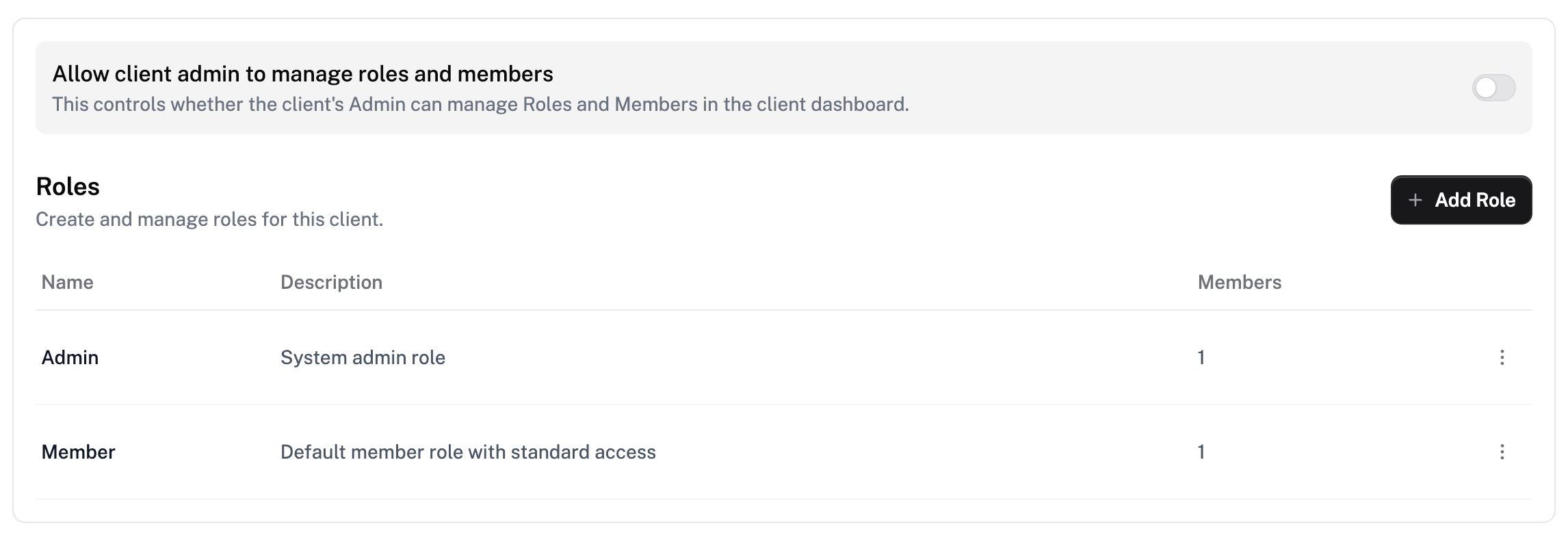
  • Added role management capabilities for clients, enabling tailored dashboard access.

  • Client admin can now manage member roles and send invitations effortlessly.


New Feature Enhancements

Custom Tags for Conversations

  • Personalized Tag Creation: Clients can now create and assign custom tags in conversations.

Conversation Assignment

  • Enhanced Accountability: Assign specific members to conversations for better tracking and follow-up.

Data Filtering Views

  • Custom Filters: Quickly filter conversation views based on user-established criteria.


Expanded Analytics for Voice Agents

  • Call success, transfer, and pickup rates.

  • Sentiment distribution analysis.

  • Call activity by weekday and time of day.

  • Average call duration.


Additional Features

  • Custom Embedded Iframe: Agencies can now incorporate iframes into the conversation sidebar for more customized content display for their Clients.


Availability & Configuration

  • Most features require activating settings within the “Client Details” → “Client Access” page.

  • Data View, Custom Tags, and basic analytics are included across all plans, with advanced features exclusive to the Ultimate plan.

We hope these updates enhance your ChatDash experience. Your feedback remains invaluable as we continually strive to improve and innovate.

NewImproved